
GUIDE
COMPASS
Most people use computers every day while the inner workings stay out of sight. This page starts at the bottom and climbs.
No prior knowledge needed. One step at a time.
START HERE
Learn to drive before you learn the engine
You do not need to understand combustion to drive a car. The same is true here. A few hours with the terminal, Git, and DNS gives you control over every tool that comes later, long before you understand how any of it works inside.
THE TERMINAL
Talking to the computer directly
The terminal is a text conversation with your machine. You type what you want, and it answers. It feels exposed at first because there are no buttons to hide behind. Within an hour it stops feeling strange, and within a week the mouse starts to feel slow.
 ▶
▶ Beginner's Guide To The Linux Terminal
DistroTube
 ▶
▶ 60 Linux Commands you NEED to know
NetworkChuck
Linux Command Line
ProgrammingKnowledge · YouTube playlist
Other core basics
GUI and CLI
A GUI gives you buttons. A CLI gives you words. Once you can use both, every tool on this page gets easier.
 ▶
▶ What's the difference between a GUI and a CLI?
Boot dev
Git and GitHub
Every project on this page lives in a repository. Git tracks changes. GitHub stores them. You will use both from day one.
 ▶
▶ Git and GitHub Tutorial for Beginners
Kevin Stratvert
DNS
When you type a web address, DNS translates it into a location. Understanding this one system explains most of how the Internet works.
 ▶
▶ What is DNS?
NetworkChuck
How the Internet works
Before DNS makes sense, it helps to know what the Internet physically is: cables, routers, and servers passing packets. Not magic, just plumbing at planetary scale.
 ▶
▶ How Does the Internet Work?
Vox
What a computer actually does
A computer stores numbers, moves them, and follows instructions very fast. Everything else, from games to AI, is built on those three actions repeated billions of times per second.
 ▶
▶ How a CPU Works
In One Lesson
THE FOUNDATION
CS50: ten weeks that change how you think
Harvard CS50 is a free introduction to computer science. It is updated every year. By the end, you understand how programs work, how memory works, how data structures work, and how the web works.
All you need is a GitHub account. CS50 gives you VS Code in the browser at cs50.dev, and the lectures, notes, problem sets, and submission tools are all web-based, so everything runs straight in the browser.
An AI agent can help you study. Ask it to explain concepts you do not understand. Ask it to quiz you. But write the code yourself. The exercises are where the learning happens.
BEFORE YOU BUILD
Draw the system first
Most people start writing code before they understand what they are building. UML is a way to sketch the parts of a system, how they connect, and what happens when. You do not need to learn every diagram type. Class, sequence, and activity diagrams cover most of what you will need.
The video below is fast. Pause it. Play with the tools. You can learn UML by making diagrams of things you already understand.
 ▶
▶ UML Diagram Tutorial
Derek Banas
PlantUML
Describe a diagram in plain text, get a UML diagram back. Write it, do not draw it.
Real World PlantUML
Examples of PlantUML used for real system design, not textbook exercises.
Umlet
A lightweight UML editor for quick sketches.
Violet UML Editor
A desktop UML editor for visual diagram creation.
LEARN TO CODE
Python: readable, useful, everywhere
Python is not the only language worth learning. But it is the one where you can read someone else's code and mostly understand what it does. It is used for scripting, data, web development, automation, and AI. The University of Helsinki's free course is built around exercises you write and test, not videos you watch.
More programming videos
 ▶
▶ What is HTML, CSS, and JavaScript?
Tiff In Tech
 ▶
▶ Python Full Course for Beginners
Programming with Mosh
 ▶
▶ Python for Beginners
freeCodeCamp.org
 ▶
▶ Every Type of API Simply Explained
Codist
 ▶
▶ Python API Development
freeCodeCamp.org

AI AGENTS
What lives inside the black box
A language model is a brain that can only think. An agent gives that brain hands, a notebook, and a way to hear you. First the brain, then the powers.
What a neural network is
A neural network is a large stack of simple units. Each unit holds one number, looks at the numbers before it, and passes a new number forward. Alone, each unit does almost nothing. Stacked in their millions, they recognize faces, translate languages, and write code.
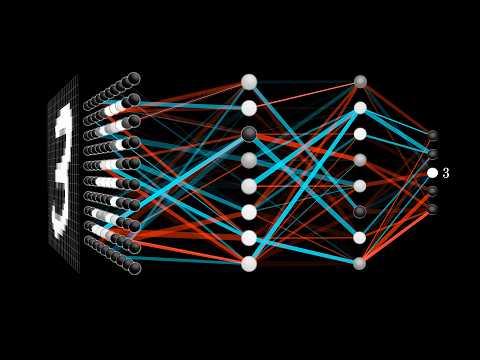 ▶
▶ But what is a neural network?
3Blue1Brown
The clearest visual explanation of the machinery ever made. Watch this first.
The landscape, or why any of this works
 ▶
▶ The Physics of A.I.
ScienceClic
Why does training work at all? In 2024 the Nobel Prize in Physics went to John Hopfield and Geoffrey Hinton for the idea underneath it, borrowed from the physics of magnetism.
Picture a landscape of hills and valleys. Every answer the network could give is a point in it, and every point has a height. Drop a small ball anywhere and it rolls downhill into the nearest valley and stops. Where it stops is the answer.
Training is the slow sculpting of this landscape. Show the network enough examples and its internal connections shift until valleys sit where the good answers live. Your prompt places the ball. The model rolls to the nearest answer it has learned.
This explains three things people find strange. The same question can get different answers, because the ball can start on different slopes. The model can be confidently wrong, because some valleys formed where nobody dug one. And the model never looks anything up, it only rolls toward the most stable answer its training built.
What a model actually is: tokens, weights, size
The words "model", "parameters", and "tokens" are the three words everything else hangs on.
A token is a chunk of text, roughly three quarters of a word. Models do not read words, they read tokens. "Unbelievable" might be three tokens; "cat" is one.
A weight is one adjustable number inside the network. The number in a model's name is the count of its weights: a 4B model has about four billion, a 70B model about seventy billion. Weights are the dials training turns to sculpt the landscape. More dials, finer landscape.
Size costs. As a rough guide, a 4B model runs on a modern laptop, an 8B model wants a decent laptop or modest GPU, and a 70B model wants a serious GPU or a rented one. Bigger is not automatically better: a small model fine-tuned for one job often beats a giant general one at that job, for a fraction of the cost and with full privacy.
Why models make things up
A model has no memory of facts, only a sculpted landscape. Ask it something its training never covered and it does not say "I do not know". It rolls into the nearest valley anyway, and that valley can be a confident, well-written answer that is simply false. This is a hallucination.
It is not lying and it is not a bug to be patched away. It is the landscape doing exactly what it was built to do. The fix is on your side: give the model the source material (RAG), make it show its work, and check anything that matters.
FROM A FAKE CHAT TO A REAL MODEL
How we got from if-statements to GPT
A chat box can look like intelligence long before anything is intelligent. The honest path is to build each layer yourself: a rule-based bot, a tiny neural net, a tokenizer, embeddings, then a transformer. CJ's Syntax walkthrough does exactly that, with working code at every step.
 ▶
▶ I Built an LLM From Scratch
Syntax · CJ
TRY IT YOURSELF
how-llms-work
Interactive app: pattern matching, XOR net, BPE, Word2Vec, then a transformer trained by hand. Clone it, run it, break it.
pnpm install && pnpm dev
-
STEP 1
A fake chat that already feels real
ELIZA (1966) was a stack of if-statements pretending to be a therapist. No understanding. People still treated it as a person. That is the first lesson: a chat window is not a mind.
Simple chat (pattern matching)
Run the ELIZA-style bot. Same streaming chat plumbing as a modern model. Zero intelligence.
-
STEP 2
A tiny brain that can learn XOR
A single-layer perceptron cannot learn XOR. A multi-layer net can, by backpropagation, the same algorithm every large model still uses. This is the jump from handwritten rules to learned weights.
XOR neural net
Train a net live. Single layer fails. Multi-layer succeeds. Watch the loss fall.
-
STEP 3
Chop language into tokens
Models do not read letters or words. They read tokens, built by byte-pair encoding: start with characters, merge the pairs you see most often, repeat. The vocabulary is a compression of language.
BPE tokenizer
Type text. Watch merges animate from characters into a vocabulary.
-
STEP 4
Give words a place in space
An embedding is a list of numbers. Words used in similar company land near each other. That is Firth's line, you shall know a word by the company it keeps, made into geometry. Word2Vec (2013) trained that map.
Train embeddings
Word2Vec skip-gram with negative sampling, trained in the browser from your text.
-
STEP 5
The transformer
Attention lets every token look at every other token at once. Stack those blocks, add a feed-forward net, and you have the machine behind GPT, Claude, and Gemini. The 2017 paper is still the blueprint.
Train a tiny GPT
Decoder-only transformer from scratch. No ML libraries. Attention, backprop, Adam, by hand.
-
STEP 6
Pick the next token, then loop
Softmax turns scores into probabilities. Temperature and top-p decide how wild the pick is. Then the model appends that token and runs again. That loop is the whole 'chat'. The context window is how much of the loop it can still see.
The repo, end to end
Clone it. pnpm install && pnpm dev. Walk every stage on your own machine.
Read the sources (new tab)
ELIZA
The 1966 pattern-matcher that already felt like a person.
Word2Vec (2013)
The paper that put words into a vector space.
BPE for translation (2015)
How modern tokenizers actually get built.
Attention Is All You Need (2017)
The transformer paper. Still the blueprint.
Shannon, 1951
Prediction and Entropy of Printed English: next-letter as information.
nanoGPT
Karpathy's small GPT you can read in an evening.
Make your own brain
You will not train a frontier model at home; that costs millions. But you can absolutely make a model your own, in two ways.
Fine-tuning takes an existing open model and trains it further on your examples, so it learns your subject, your style, or your format. This is how small specialised models are made, and tools like Unsloth let it happen on a single consumer GPU.
Training from scratch is how you learn what is actually going on. Andrej Karpathy's nanoGPT builds a working GPT, the same family as the big models, in a few hundred lines you can read in an evening.
nanoGPT
Build a GPT from scratch in simple PyTorch.
Unsloth
Fine-tune open models on your own GPU.
 ▶
▶ Deep Dive into LLMs like ChatGPT
Andrej Karpathy
Cloud, API key, or running it yourself
There are three ways to use a model, and the trade is always the same: convenience against control.
A chat app is the easiest. You open a website and type. The model lives on someone else's machines and your conversations go through them.
An API key is how a program talks to that same remote model. It is a secret string that works like a password for software: your code sends it with each request, the provider knows it is you, and bills you for what you use. Guard it like a password, because anyone who has it can spend your money.
Running locally means the model's weights live on your machine. No account, no per-request cost, nothing leaves your hardware, and it works offline. The price is that you are limited to models your machine can hold.
Uncensored models
Most models are trained to refuse certain requests. An "uncensored" model is an open model that has been changed to refuse far less, either by retraining it on data without refusals or by surgically removing the refusal behaviour from its weights (a technique called abliteration).
People want them for honest reasons: fewer preachy disclaimers, creative writing, security research, or simply owning a tool that does what they ask. The trade is real too: the guardrails that are removed are the same ones that block harmful output, and legal and ethical responsibility shifts entirely to the person running it. This is a property of models you run yourself, not of hosted services.
The agent: a brain with superpowers
A raw model can only think and reply. An agent gives the model superpowers, in four categories.
The gateway
Where you talk to it. A chat window, a messaging app, a terminal. Prompts go in, answers come out.
Tools (MCP)
Actions the agent can take in the world. Read a file, run a command, search the web, call an API. MCP, the Model Context Protocol, is the open standard that lets one tool plug into many agents, like USB for AI.
Skills
Reusable playbooks written as plain markdown files. A skill tells the agent how to do one job well: the steps, the style, the pitfalls. Write one the way you would write a checklist for a new hire, and the agent follows it every time.
Memory
What the agent keeps between conversations. Your preferences, your projects, decisions already made. Without it, every session starts from zero. Memory can live in plain markdown notes or in a structured engine like cognee.
Automation and cron jobs
An agent that only answers when spoken to is a tool; one on a schedule becomes a colleague. A cron job is a simple timer: every night at three, run this. Nightly evals, morning briefings, and watchdog checks all run this way.
VOCABULARY
The vocabulary you will keep hearing
Context window
How much the model can hold in mind at once, measured in tokens. A token is roughly three quarters of a word. A 4k context window is a short story; 200k is a thick book. Anything beyond the window is silently forgotten.
Quantization
Shrinking a model so it fits on your hardware. Each dial is stored with less precision. A 7B model needs about 14 GB of memory at full precision, but only around 4 to 5 GB at the common Q4 level, with a small quality loss most people never notice. This is why local AI works on ordinary laptops.
GGUF
The single-file format most local models ship in today. One file contains the model's dials, ready for tools like Ollama, LM Studio, and llama.cpp.
Fine-tuning
Teaching an existing model your subject by training it further on your examples. Cheaper than building from scratch, and the usual way to make a small model excellent at one narrow job.
RAG (retrieval-augmented generation)
Instead of stuffing everything into the context window, the system first finds the few relevant pages from your documents, then hands only those to the model. Cheaper, faster, and the model can show its source.
Chunking
How documents are split for retrieval. Chunks too small lose meaning; too large waste the context window. Good chunking is quiet, unglamorous, and decides whether RAG works.
KV cache
The model's short-term working memory while generating. Reusing it makes repeated questions faster and cheaper.
Evals
Automated tests that check whether your agent is actually getting better: accuracy, speed, and token cost, run on a schedule instead of by gut feeling.
Where models and tools live
OpenClaw (open source, MIT)
A personal AI assistant you run on your own devices. Works through the messaging apps you already use, with memory and tool access. Self-hosted, so your data stays with you.
Hermes Agent (open source, MIT)
An open-source agent from Nous Research that works with your files, terminal, and the web.
Ollama (open source)
The simplest way to download and run open models on your own hardware.
Hugging Face (open platform)
The library of open models, datasets, and tools. This is where you download the brains.
LangGraph (open source, MIT)
A framework for building agents with reliable multi-step workflows, used in serious production systems.
smolagents (open source, Apache-2.0)
Hugging Face's minimal agent framework. Small enough to read in one sitting, which makes it the best way to see how an agent loop actually works.
Langfuse (open source, MIT)
Traces what your agent did, what it cost, and where it went wrong. Evals and observability live here.
cognee (open source, Apache-2.0)
Gives agents persistent memory as a knowledge graph. Self-hosted; an optional paid cloud exists, but the engine itself is open source.
video-use (open source)
Show a browser agent a screen recording once, and it learns to repeat the workflow.
AIxploria
A large directory of AI tools by category, for when you wonder whether a tool for something exists.
NOTE-TAKING FOR AGENT MEMORY
Obsidian is excellent but proprietary (free for personal and commercial use, not open source). If you want fully open source, use Logseq or Joplin instead; both are AGPL-licensed and store your notes as local files.
Trusted places to check current rankings
 ▶
▶ Hermes Agent Setup Guide
Tech With Tim
 ▶
▶ Build an AI Agent From Scratch in Python
Tech With Tim
 ▶
▶ The Local AI Hardware Mistake
Manolo Remiddi
 ▶
▶ Get Started with Langfuse
Dave Ebbelaar
HARDWARE
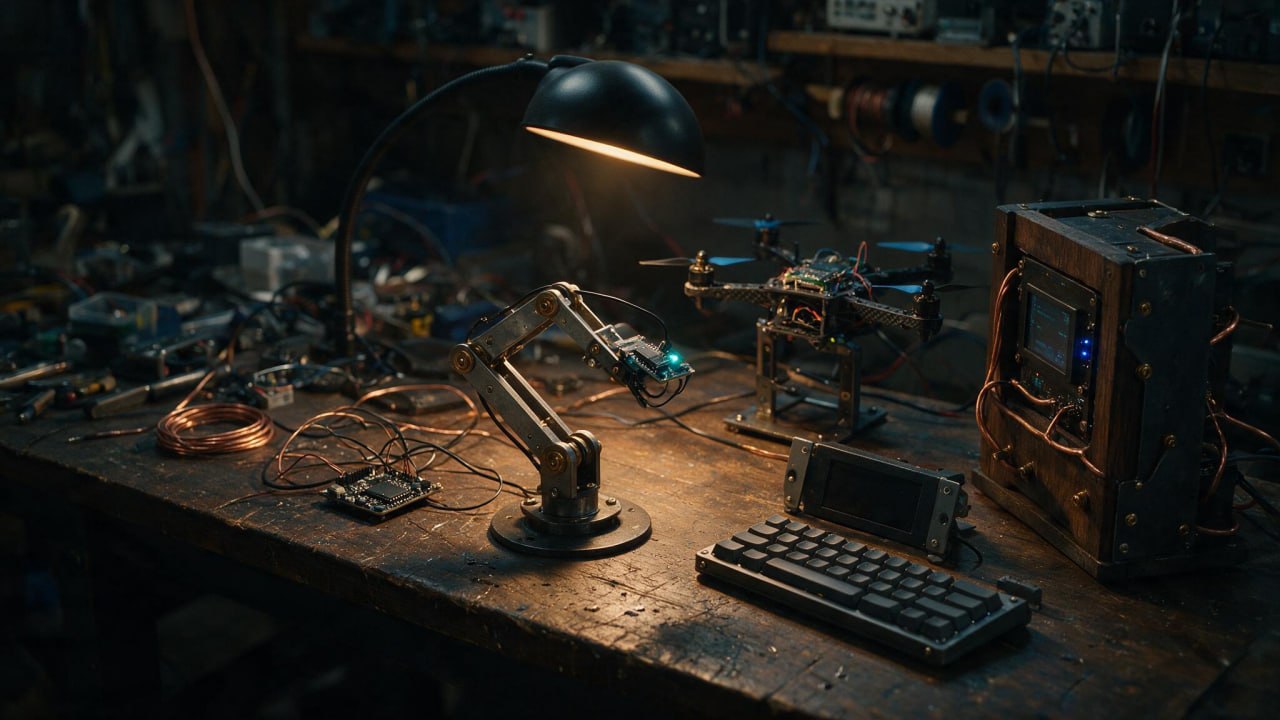
Build something you can hold
Electronics, small computers, and robots turn abstract logic into physical things. A sensor that reads temperature. A motor that turns. A screen that lights up. This is where computing stops being theoretical.
 ▶
▶ Arduino 101
CrunchLabs
 ▶
▶ How to Start in Robotics
Every Flavor of Robot
 ▶
▶ ESP32 Drone
Max Imagination
 ▶
▶ Offline AI on Raspberry Pi 5
Jdaie Lin
 ▶
▶ Raspberry Pi Alternatives
Linus Tech Tips
 ▶
▶ Building My Dream Cyberdeck
meshtimes
 ▶
▶ DIY Doomsday Cyberdeck
W6IWN SOTA & Ham Radio
Introduction to Robotics (full course)
Paul McWhorter · YouTube playlist
LoRa: long-range wireless networks
How devices talk over kilometers on almost no power, the radio behind Meshtastic-style projects.
CETech · YouTube playlist
Joystick LED controller
A small documented electronics build, a good first project after the Arduino crash course.
HARDWARE QUESTION
Could a cyberdeck replace your phone?
Not completely, not today. But closer than you might think, and trying it teaches you an enormous amount. Here is what that life actually looks like.
You carry a real camera for photos. Not because a cyberdeck cannot take a picture, but because a phone's camera is the one thing it genuinely cannot match, and a small dedicated camera does it better while keeping you out of the feed.
You pay with a physical card kept in an RFID-blocking wallet, so the card cannot be skimmed and your payments are not a data stream. Cash works too.
Your cyberdeck, or a small laptop, is the base station. It runs your local AI agent, holds your files, and does the real work. It lives in your bag and comes out when you sit down.
The interface that stays with you is a pair of smart glasses. They are the microphone, the speaker, and eventually the display between you and your agent: you ask, it answers, your hands stay free and your eyes stay on the street.
Messages and authentication are the honest sticking point. Calls, banking apps, and two-factor codes still expect a phone, so most people who try this keep a minimal phone for those three things and nothing else.
What you get in exchange is attention, ownership, and understanding. Every tool you carry is one you chose and can open. The point is not that it is easy. The point is that after a month of it, you know exactly what a phone was doing to you, and which parts of it you ever actually needed.

PRIVATE STACK
Run your own systems
Self-hosting gives you control over your files, your messages, your network, and your data. It also gives you responsibility. Start small. Document everything. Learn the security basics before you expose anything to the public Internet.
Self-Hosted Tools & Infrastructure
Nextcloud
Self-hosted files, calendars, contacts, and collaboration.
Matrix
An open standard for encrypted, decentralized communication.
Netmaker
WireGuard-based virtual network management.
WireGuard
A modern VPN protocol.
pfSense
An open-source firewall and routing platform.
SECURITY BASICS
Five rules before you start
- Back up before you change anything. Test the backup.
- Use SSH keys. Disable password logins on remote servers.
- Keep admin interfaces behind your local network or VPN.
- Apply security updates consistently. Do not skip them.
- Follow official documentation. Write your own notes for every service.
The gap between reading about self-hosting and actually running something is a first project. A small home lab, an old laptop, or a single rented server is enough. Pick one service, get it running, break it, fix it. That loop teaches more than ten tutorials watched in a row.
 ▶
▶ What is a HomeLab and How Do I Get Started?
Techno Tim
 ▶
▶ Building a Router
Hardware Haven
 ▶
▶ Self-Host Nextcloud on Debian
Learn Linux TV
 ▶
▶ Host Your Own WireGuard VPN
David Bombal
 ▶
▶ How To Install Netmaker
Netmaker
Netmaker: self-hosted networking
Netmaker · YouTube playlist

WEBSITE CRAFT
Make websites people remember
A good website is not a template. It is structure, typography, motion, and content that respects the reader. Start with plain HTML and CSS. Learn what a page is before you add animation, 3D, or frameworks.
THE CRAFT FIRST
Structure and fundamentals
Tools change every year; the craft does not. Learn to structure a page, set type, and make layout behave, by hand, before you let anything generate it for you. The people who make the sites everyone screenshots are the ones who could do it without the generator.
 ▶
▶ Web Development with HTML & CSS
freeCodeCamp.org
SEE WHAT GOOD LOOKS LIKE
Inspiration and animation
Taste is trained by looking. Study the sites that win awards, take them apart, and ask why each one works. Then learn the two libraries behind most of the motion you admired.
Web Design & Motion Toolkit
21st.dev
React components and templates you can inspect and build with.
Motion
A JavaScript animation library for smooth interaction.
Spline
3D design in the browser for interactive scenes.
Emergent
Rapid prototyping for AI application interfaces.
Ladybug
Web visual effects for interactive design.
doriantodd.com
A portfolio demonstrating careful motion and clean typography.
5K scroll animation guide
A walkthrough of a beautiful scroll-driven web animation.
There are two ways to make a website in 2026: write it by hand, or describe it and let AI build it. Both are on this page. Learn the hand skills even if you plan to use the machine, because you cannot direct what you do not understand.
EXPLORE
More corners of the site
Repo Atlas
Open-source AI and developer projects, sorted so you can find what already exists.
The Open-Source Directory
Projects, communities, and foundations behind the tools on this page.
The Digital Library
A curated collection of books written by humans: rare texts, forgotten works, archaeological discoveries, and classics.
Persona Nova
The workshop's own pixel-art RPG. Free in the browser, works offline, and your progress saves on your device.
THE ROAD AHEAD
Where this is all heading
The tools on this page are changing fast. These two forecasts are serious, readable attempts to map what comes next. Worth understanding before you build your future on any of it.